

A digital marketing audit is a structured review of every online channel your business uses, measured against one question: does it bring you calls, bookings and sales? For a Canadian local business, the useful audit follows the customer’s path, from being found in search, to trusting what they see, to getting in touch. It ends with a short, ranked list of fixes, not a 60-page report. Our free Leak-Proof Audit™ is built around that path: it evaluates your local authority and points to where visibility and revenue are leaking.
TL;DR
- An audit compares each channel (website, local search, reviews, social, paid ads) with your business goals, then ranks what to fix by revenue impact.
- Start with baseline data: 28 to 90 days of traffic, calls, form fills and ad spend, grouped by channel.
- Most of the value sits in four places: tracking, your Google Business Profile, your website’s conversion path and your reviews.
- Judge an audit service by scope and deliverables: what is reviewed, against which KPIs, and who does the follow-up work.
- The Leak-Proof Audit™ is a free way to see where your local visibility and revenue are lost.
Table of Contents
- What a digital marketing audit is, and what it is not
- Before you start: goals, baseline and a spending map
- How to audit your website, SEO and local search, step by step
- Content, social, paid ads and reputation
- Turning findings into a ranked action plan
- What digital marketing audit services should include
- Why we built the Leak-Proof Audit™ around local authority
- Get the audit done with the people who do the work
- FAQ
- Sources
What a digital marketing audit is, and what it is not
Shopify Canada describes a marketing audit as a systematic assessment of a company’s marketing strategy and performance. A thorough one evaluates figures such as conversion rate, return on ad spend and customer retention, and shows which channels produce the most qualified leads.
A digital audit applies the same idea to online channels only. It is not a list of everything that could be improved. It is not a tool score either: an automated report that says your site has 43 “issues” tells you nothing about which three of them cost you jobs this month.
The BDC-published eBook for Canadian entrepreneurs makes the underlying point plainly: many businesses fail to get results because they don’t measure the impact of their online efforts and act on what the numbers say. An audit is that measurement, done on purpose, once or twice a year.
When it pays to run one
- Leads have flattened or dropped and you cannot say why.
- You pay for ads or an agency and cannot connect the spend to booked work.
- You have not looked at your Google Business Profile, site analytics and reviews together in over a year.
- You are about to redesign the website, change agencies or add a location.
Before you start: goals, baseline and a spending map
An audit without a goal produces opinions. Write down one or two outcomes in plain business terms: 30 booked calls a month, 15 quote requests from a specific city, a full Saturday schedule at the salon.
Then build the baseline. One practical method, from a 2026 local visibility measurement guide, is to export the previous 28 to 90 days of data before comparing anything. Use at least 90 days if your business is seasonal, and compare with the same season last year, because a landscaper in March and a landscaper in July are not comparable.
Shopify’s guide adds the step most owners skip: group costs by campaign and channel, including labour, ad spend, technology and promotional materials, then group revenue into matching buckets. Without that, you only know your total marketing spend, not which part of it works.
A simple worksheet is enough:
| Channel | 90-day cost | Leads (calls, forms, bookings) | Jobs or sales won | Cost per lead |
|---|---|---|---|---|
| Local search (organic and Google Business Profile) | ||||
| Website (direct and referral) | ||||
| Paid ads | ||||
| Social media | ||||
| Email and other |
If you cannot fill the “leads” column, you have found your first finding: tracking is missing.
How to audit your website, SEO and local search, step by step
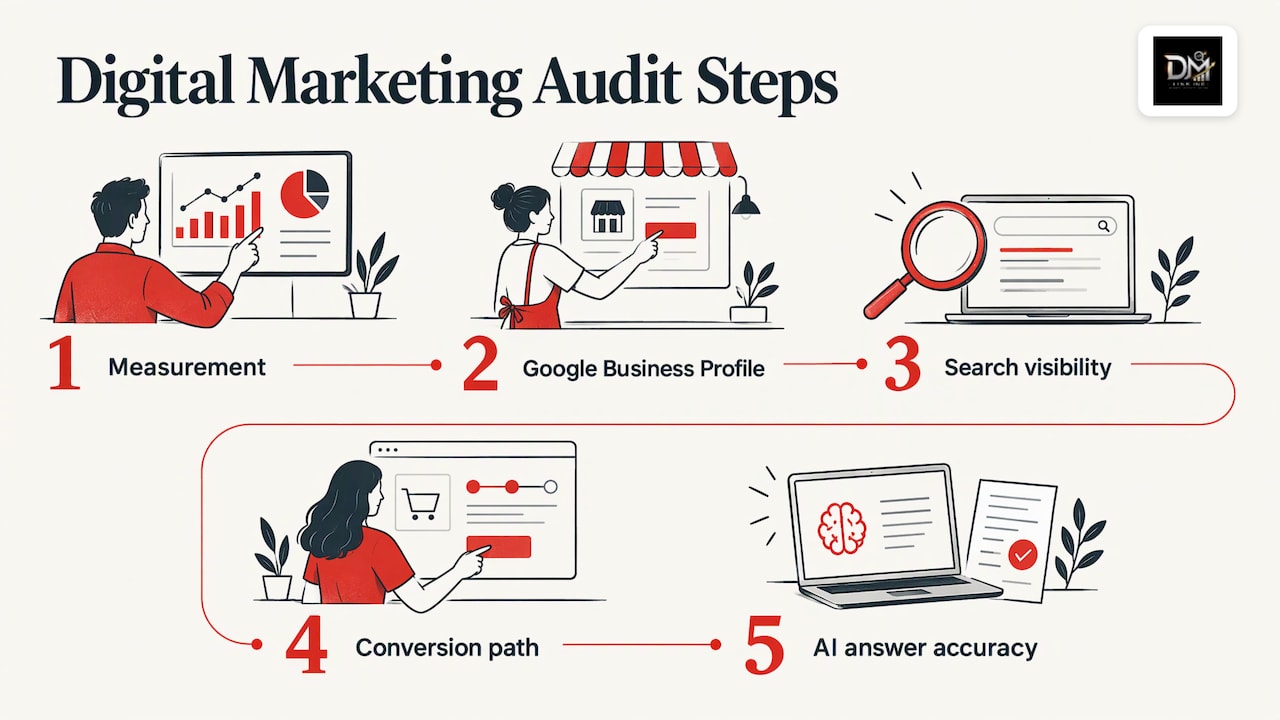
Work through these in order. Each step builds on the one before it.
1. Check that measurement works
Confirm Google Analytics (GA4) is installed on every important page. Then list the actions that count as a lead: form submissions, calls, bookings, quote requests. Test each one yourself, from the click on the ad or search result through to the confirmation page, and check that it shows up in your reports. Where it goes wrong: a call button that is not tracked, a thank-you page that fires twice, or an ad platform that counts page views as conversions and flatters the results.
Google Search Console, a free tool that shows how your site performs in Google, adds the search side. Its Performance report shows clicks, impressions and click-through rate for your queries and pages, which tells you what people searched before they found you.
If you want to go further than channel totals and follow a customer from first visit to invoice, this overview of customer journey analytics for small businesses explains the timeline-and-identity approach.
2. Review your Google Business Profile
For a restaurant, trade, salon or clinic, this profile is often the first thing a customer sees. Check that your name, address or service area, hours, phone number and website match what appears in the real world. Google’s own guidelines for representing your business ask for an accurate address or service area and the fewest categories that describe your core business. Padding the name with keywords or choosing a dozen categories is a common way to get a profile suspended or ignored.
Check the primary category first, then services, photos, posts and the questions section. Make sure listings elsewhere match: inconsistent names and phone numbers across directories are a classic leak. Our guide to local citation management covers keeping listings accurate.
3. Walk through your search visibility
Search the services you sell, with the city or neighbourhood, on a phone, and note who appears in the map results and the organic results. Do it from a few locations in your service area, not only from your office. Then compare with the queries Search Console reports.
Look for three things:
- Services you sell that no page on your site targets.
- Pages that get impressions but few clicks, usually a weak title or description.
- Competitors who appear in the map results for searches where you should.
The technical basics belong here too: pages that can be crawled and indexed, clear titles and headings, internal links between related pages, and a site that works properly on a phone.
4. Audit the conversion path
Traffic does not matter if the page does not make contact easy. Open your top five landing pages and ask: is the phone number tappable? Is the offer visible without scrolling? Does the page match the promise in the ad or search result that sent the visitor? Does the form ask only for what you need?
A visit that ends without a call is a leak even when rankings are good. This is where search visibility turns into booked calls, and it is the step most agency reports skip.
5. Check whether AI answer engines describe you correctly
More customers now ask AI tools for a recommendation instead of scanning ten results. HubSpot notes that content earning AI citations is often different from content that ranks on Google, and that comparing the two shows which pieces deserve investment. Ask a few AI assistants the questions your customers ask and check whether your business appears, and whether the details (services, location, hours) are right.
Content, social, paid ads and reputation
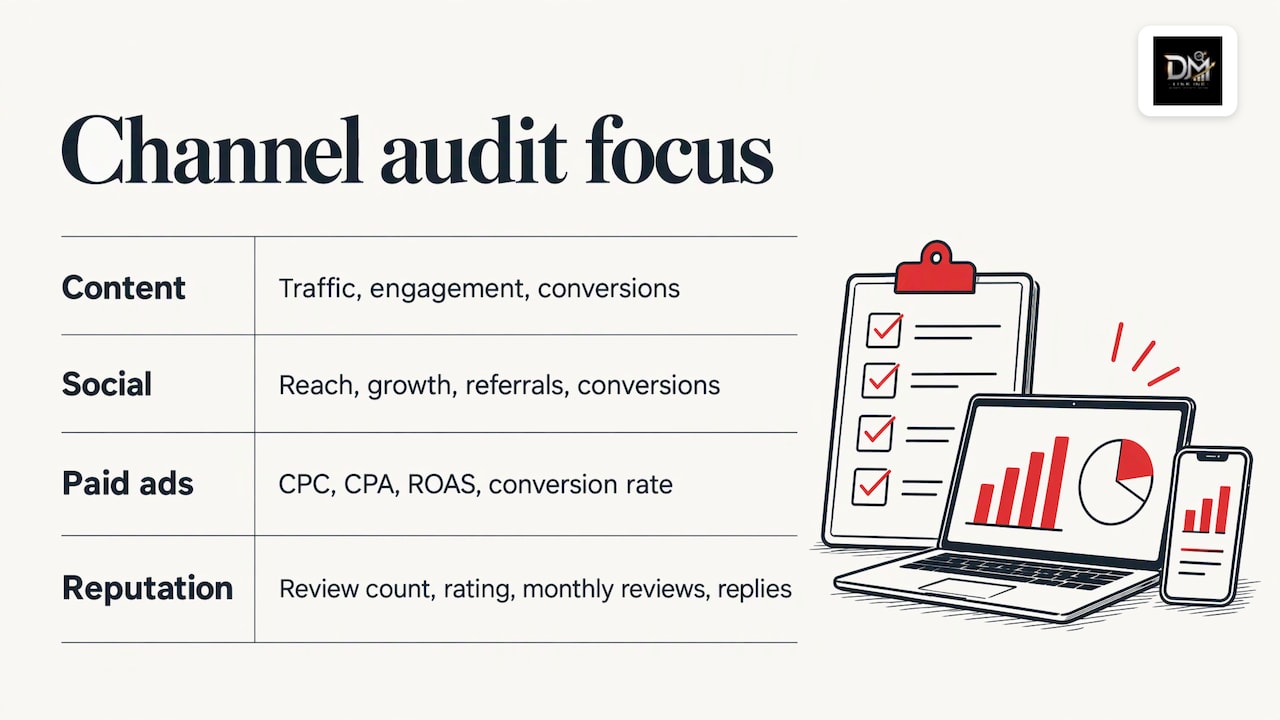
Once the foundation is checked, review the channels one by one. HubSpot’s audit guide gives a workable frame for each.
Content. Identify which pages and posts drive traffic, engagement and conversions, and which do nothing. Funnel coverage, competitor gaps and refresh opportunities are the things to note. Old pages that still rank are usually cheaper to update than new ones are to write.
Social media. Per platform, look at engagement, reach, audience growth, referral traffic and conversions. Keep profiles accurate and consistent with your website. A platform that earns applause but no enquiries gets a defined, smaller role, not an automatic budget.
Paid ads. The same guide lists cost per click, cost per acquisition, return on ad spend, conversion rate, audience and creative performance, landing-page alignment and budget allocation. Rising cost per acquisition, falling return and tired creative are the warning signs. If you are weighing ads against organic search, see our comparison of local SEO and Google Ads for Canadian small businesses.
Reputation. Count your reviews across Google and the sites your customers use. Note the average rating and its trend, how many reviews arrive each month, how often and how well you respond, and the themes in complaints. Repeated complaints about the same thing, such as late arrivals or unclear quotes, point to a service gap, not a marketing gap. Our practical guide to Google review management and the piece on brand reputation monitoring show what to track.
Turning findings into a ranked action plan
The audit is only worth the plan it produces. Sort every finding on two scales: how much revenue it affects, and how much effort it takes. Fix the high-impact, low-effort items first, usually tracking, Google Business Profile errors and a weak call-to-action on your best-traffic page.
Keep the plan short:
- Fix now (this month): broken tracking, wrong listings, missing contact options.
- Build next (one to three months): pages for services you do not yet target, review requests, landing-page rewrites.
- Invest later (a quarter or more): a redesign, new content programs, new channels.
Give each item an owner and a date, and name the number it should move. Also remember that fixes interact. The Advertising Association of Canada warns that audit recommendations are interconnected: a more sophisticated attribution model, for example, may need more technology spend, so ask what a change does to your other metrics before you commit.
Finally, benchmark against your own past results first, then against two or three local competitors: their review counts, the services their pages cover and where they appear in the map results.
What digital marketing audit services should include
If you hire someone to run the audit, judge the scope before the price. The Advertising Association of Canada says to look at the auditor’s expertise, measurement against agreed KPIs and documentation of discrepancies. Its process audit can also cover scope of work, reporting, invoicing, data storage and security.
For a local business, translate that into a short list:
- Which channels and accounts are reviewed, and whether you keep ownership of every login, your domain and your data.
- Which KPIs the findings are measured against, and whether they are tied to leads and revenue rather than vanity metrics.
- Whether the output is a ranked plan with owners, not just a score.
- Who does the work afterwards, and whether you speak to the people doing it.
The Canadian Marketing Association notes that brands often want a yearly audit of media buying and quarterly reviews on agreed KPIs. That cadence suits a small business too: one full audit a year, and a lighter check on the numbers every quarter. Our digital marketing checklist for small businesses gives you the recurring items.
Why we built the Leak-Proof Audit™ around local authority
Most audits we hear owners complain about share one flaw: they list problems channel by channel and never say which one is costing the business money. A website, a map listing, a review profile and an ad account are one system. If any link is weak, the customer leaves, and no single report shows it.
That is why we build local growth as one infrastructure: search, web design, digital marketing and reputation on one plan, built in-house, so the fixes hold together. It is also why the Leak-Proof Audit™ looks at your local authority and pinpoints where visibility and revenue are lost, instead of handing over a pile of disconnected scores.
We also believe you should own what gets built: your domain, hosting, site, content, accounts and data, from day one. An audit is only as useful as your ability to act on it, and you cannot act on assets someone else controls.
DM
Get the audit done with the people who do the work
If you would rather not spend a weekend in analytics dashboards, the Leak-Proof Audit™ is free and evaluates your local authority, showing where visibility and revenue are lost. When you move to fixes, you talk directly with the team doing the work, not an account manager, and we work in English and French.
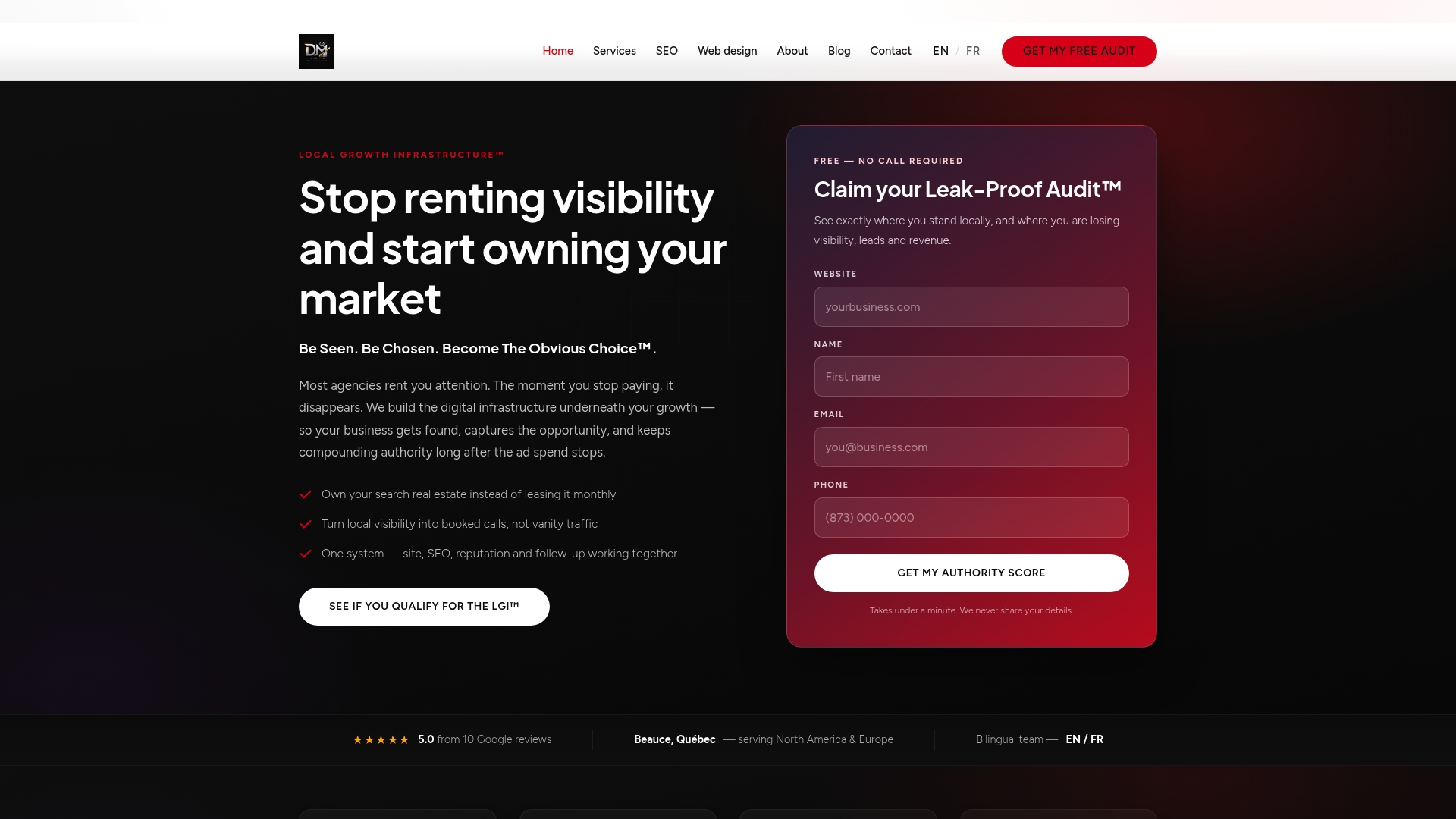
Start from thedmlink.com, or see our services for local SEO, website design, reputation and digital marketing, built on one plan.
FAQ
How often should I run a digital marketing audit?
Run a full audit once a year and a lighter review every quarter on your core numbers: leads, cost per lead, rankings and reviews. Run an extra one before a redesign, an agency change or a major budget increase. Seasonal businesses should compare each period with the same season last year.
What does a digital marketing audit cost, and how long does it take?
It depends on how many channels are reviewed and how deep the review goes. Our Leak-Proof Aud™ is free. For any audit, ask what is reviewed, which KPIs it is measured against and what you receive at the end, so you can compare offers like for like.
What data do I need before an audit starts?
Give the auditor access to your website analytics, Search Console, Google Business Profile, ad accounts and social profiles, plus 28 to 90 days of lead and sales figures. Keep these accounts in your own name so you can change who works on them at any time.
Is a digital marketing audit the same as an SEO audit?
No. An SEO audit covers search visibility: technical health, content and local listings. A digital marketing audit includes that, then adds paid ads, social media, email, reputation, tracking and conversion, and judges all of them against business results.
Sources
- How To Conduct an Effective Marketing Audit (2025), Shopify Canada
- Boost your Sales with Online Marketing, Whistler Chamber of Commerce and BDC
- How to measure local search and AI visibility: a 30-day dashboard guide
- What’s a Marketing Audit? HubSpot
- The Marketer’s Guide To Digital Media Buying And Auditing, Advertising Association of Canada
- Guidance on the Media Agency, Canadian Marketing Association
- Guidelines for representing your business on Google, Google Business Profile Help
- How are you performing on Google? Search Console Help
- Customer Journey Analytics for SMBs